
Understanding Variables and Data Types in JavaScript
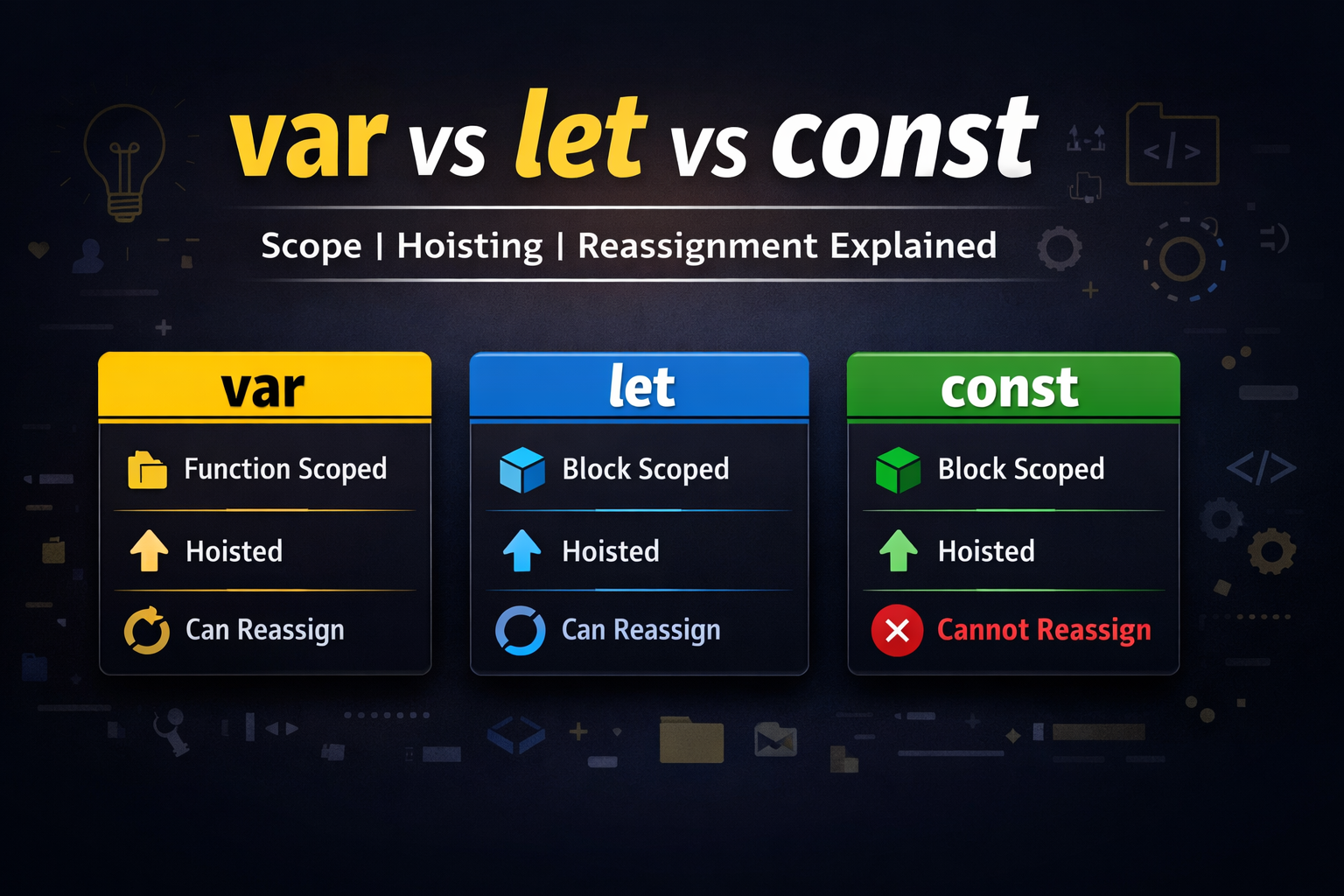
Start with a real-life analogy (a box storing information
📦 What Are Variables? (Real-Life Analogy First)
Imagine you have a box at home.
You put your shoes inside one box.
Your documents inside another box.
Your mobile charger inside a different box.
To remember what’s inside, you label each box:
ShoesBoxDocsBoxChargerBox
👉 In programming, a variable is just like that labeled box.
It:
Stores information
Has a name (label)
Can hold different types of values (number, text, true/false, etc.)
💻 Variables in JavaScript
In JavaScript, we create variables using:
let age = 25;
const name = "Ankita";
var city = "Nagpur";
Here:
age→ box storing number25name→ box storing text"Ankita"city→ box storing text"Nagpur"
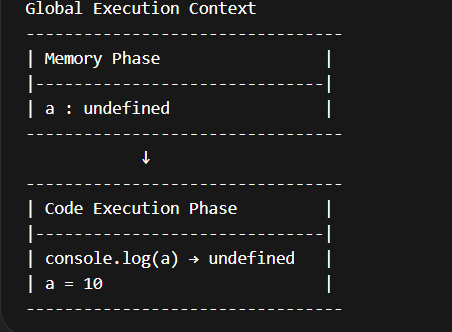
🔹 2️⃣ Code Execution Phase
Step-by-step:
console.log(a)→ printsundefineda = 10
Final Memory:
| Variable | Value |
|---|---|
| a | 10 |
📊 Execution Context Diagram
📌 Why Are Variables Needed?
Variables are used to store data in memory so we can:
Reuse values
Update values
Perform operations
Avoid repeating code
Make programs dynamic
Example (Without Variable ❌)
console.log(50000 + 10000);
console.log(50000 + 10000);
Example (With Variable ✅)
let salary = 50000;
let bonus = 10000;

console.log(salary + bonus);
👉 Variables make code readable, reusable, and maintainable.
| Feature | var |
let |
const |
|---|---|---|---|
| Scope | Function | Block | Block |
| Re-declare | ✅ Yes | ❌ No | ❌ No |
| Update | ✅ Yes | ✅ Yes | ❌ No |
| Hoisting | ✅ Yes (undefined) | ✅ Yes (TDZ) | ✅ Yes (TDZ) |
| Global Object | ✅ Yes | ❌ No | ❌ No |
| Example | var a=10; var a=20; a=30; |
let b=10; b=20; |
const c=10; |
| Block Test | if(true){var x=1} console.log(x) ✅ |
if(true){let y=1} console.log(y) ❌ |
if(true){const z=1} console.log(z) ❌ |
| Pros | Old browser support | Safe block scope | Safest, prevents reassignment |
| Cons | Re-declare bugs, global leak | TDZ confusion | Must initialize, no reassignment |
🏆 Best Practice Rule
👉 Use const by default
👉 Use let when value needs to change
👉 Avoid var in modern JavaScript
🔥 Temporal Dead Zone (TDZ) — Detailed Explanation
📌 What is TDZ?
TDZ is the time between:
👉 Variable hoisting
👉 And actual initialization
During this period, accessing variable gives error.
🔹 Example
console.log(a); // undefined
var a = 10;

console.log(b); // ❌ ReferenceError
let b = 20;
Why?
varis initialized withundefinedlet&constare hoisted but NOT initialized
🔥 TDZ Diagram
Memory Phase:
b → uninitialized

Execution Phase:

Line 1: console.log(b)
        ❌ Error (Still in TDZ)

Line 2: let b = 20;
        b initialized
🔹 Another Example
{
  console.log(x); // ❌ TDZ
  let x = 5;
}
TDZ starts at beginning of block {} and ends at declaration line.
💡 Final Summary
Variables store data.
JS creates execution context in 2 phases.
varis function scoped & hoisted with undefined.let&constare block scoped & have TDZ.TDZ prevents early access errors.
Prefer
const>let> avoidvar.
✅ Primitive Data Types in JavaScript
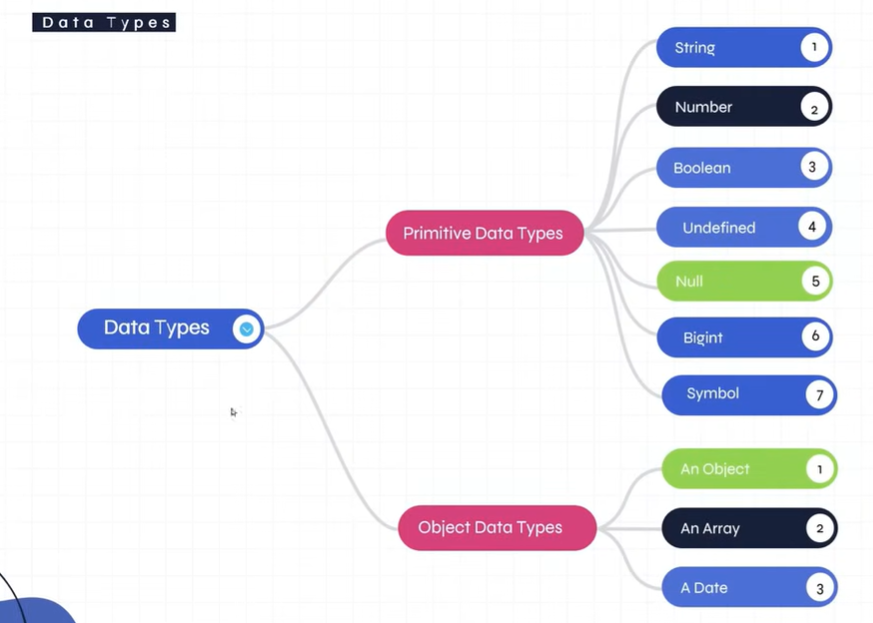
JavaScript has 7 primitive data types, but here we’ll focus on the main 5 you mentioned:
| Data Type | Description | Example | Type Of |
|---|---|---|---|
| string | Text data | "Hello" |
"string" |
| number | Numbers (integer & decimal) | 10, 3.14 |
"number" |
| boolean | True or False | true, false |
"boolean" |
| null | Intentional empty value | let x = null |
"object" ⚠️ (JS bug) |
| undefined | Variable declared but not assigned | let x; |
"undefined" |
🧠 Example Code
let name = "Ankita";   // string
let age = 25;          // number
let isStudent = true;  // boolean
let city = null;       // null
let marks;             // undefined

console.log(typeof name); // string
⚡ Super Important Interview Example
if (true) {
  var a = 10;
  let b = 20;
}

console.log(a); // ✅ 10
console.log(b); // ❌ Error
👉 var ignores block scope
👉 let & const respect block scope
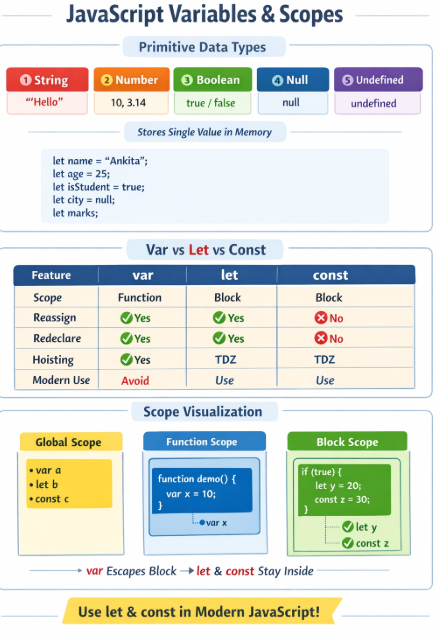
| Variable | Inside Block | Outside Block | Outside Function |
|---|---|---|---|
| var | ✅ Yes | ✅ Yes | ❌ No |
| let | ✅ Yes | ❌ No | ❌ No |
| const | ✅ Yes | ❌ No | ❌ No |
🎯 Quick Summary
Primitive types store single simple values.
var= function scoped (old way)let= block scoped & changeableconst= block scoped & not changeablePrefer let & const in modern JavaScript.


