
JavaScript Modules: Import and Export Explained

Imagine you're building a big house. You wouldn't pour all the cement, wires, and furniture into one giant pile. You'd organise: plumbing in one section, electrical in another, bedroom furniture in another. JavaScript modules work exactly the same way — they let you split your code into organised, reusable files.
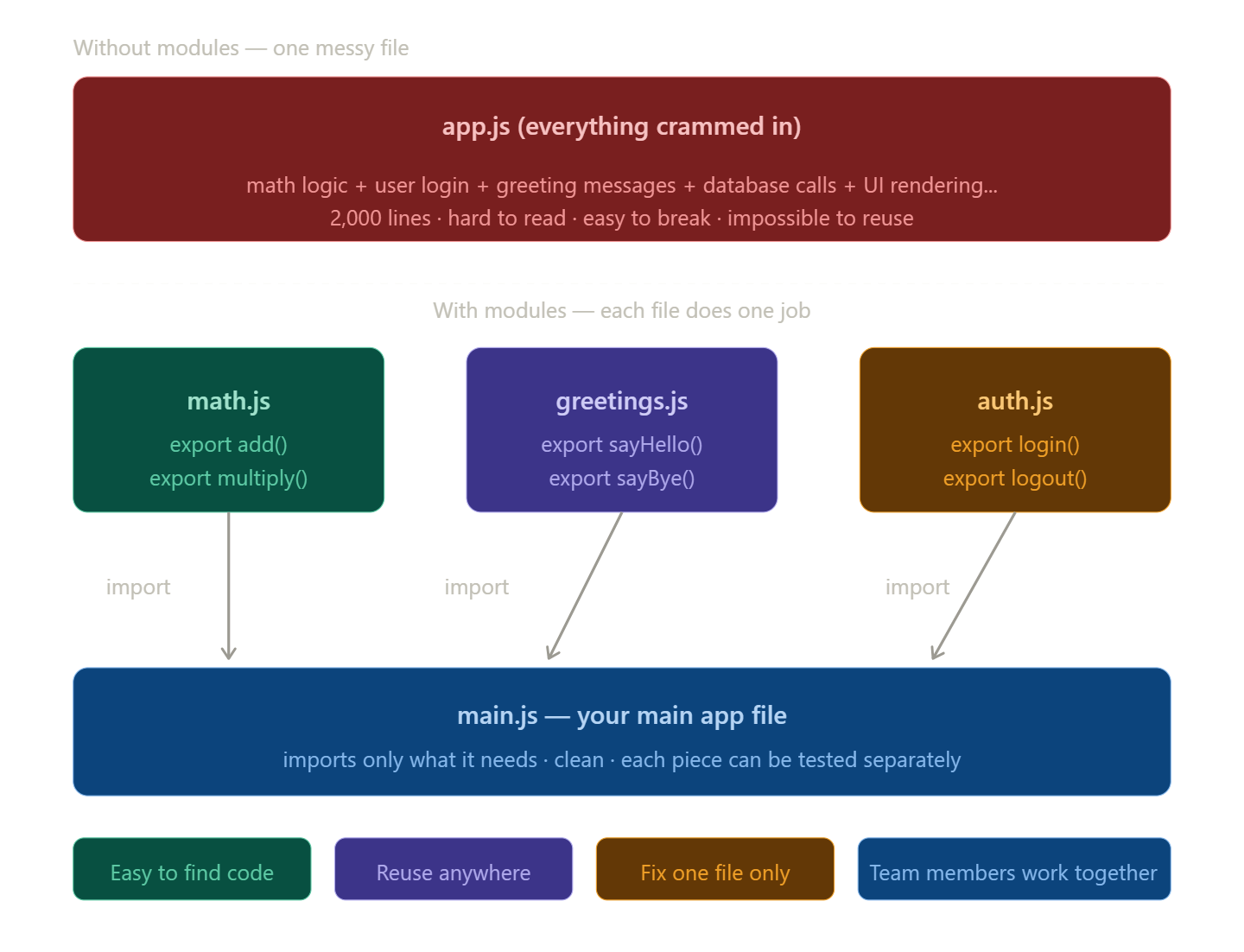
Without modules, all your JavaScript lives in one giant file. That becomes a mess fast — thousands of lines, things breaking each other, no idea where anything is.
With modules, each file does one job. A file that handles math stays in math.js. A file that handles greetings stays in greetings.js. When you need that code, you simply import it.
Now let's look at the actual syntax — how export and import work in real code.
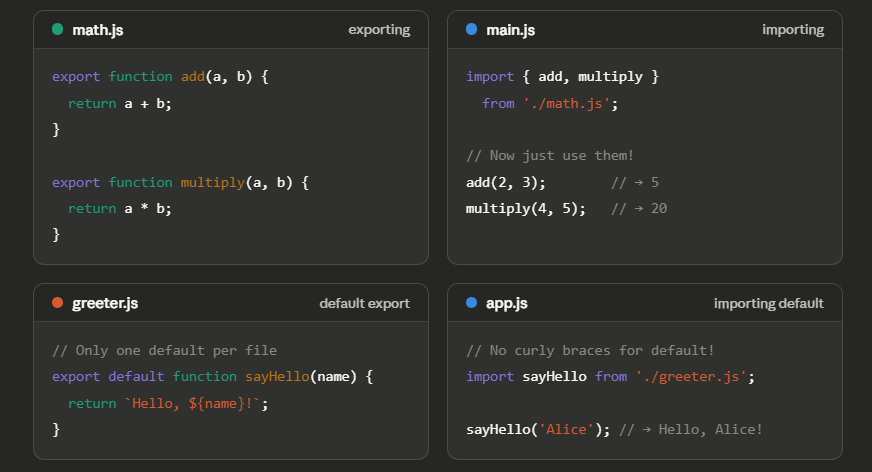
export means: "this function/variable is available to other files." import means: "bring that function into this file so I can use it."
Here's the simple mental model to remember:
Named export/import — use curly braces { }. A file can have many of these. You pick exactly which ones you want.
Default export/import — no curly braces. Each file can only have one default export. It's like the "main thing" that file is known for.
The problem: code organization
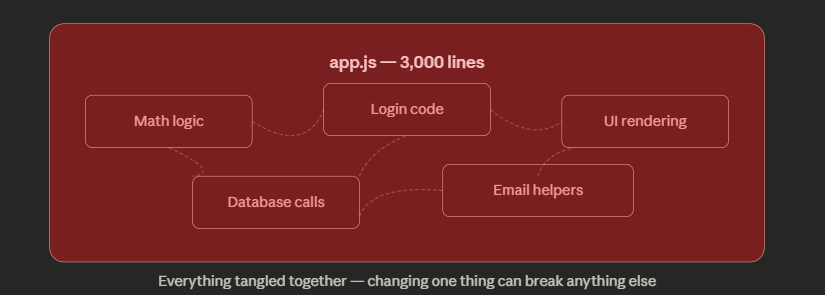
Imagine writing a whole app in one file. At first it's fine. But as the app grows, you get one giant app.js with thousands of lines — math logic tangled with login code tangled with UI rendering. Change one thing, break another. You can't even tell where things are.
This is the spaghetti problem, and it happens to every project that doesn't use modules.
Modules solve this by splitting code into separate files, each with a single clear responsibility. Here's what a modular project looks like — a file dependency diagram showing how files connect to each other.
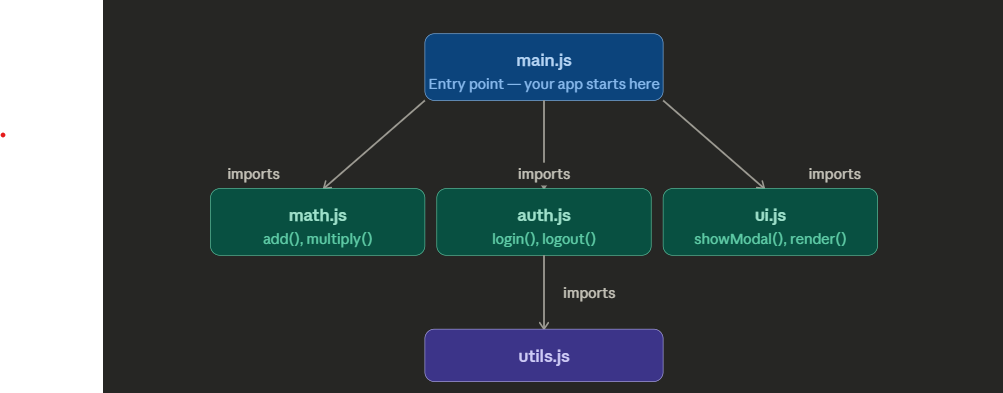
Each file does one thing. main.js imports only what it needs from each. Now let's look at the two ways to actually do that export and import.
Default vs named exports — the interactive flow
There are exactly two kinds of exports. The difference is simple: named exports use { } curly braces, default exports do not. Here's the full import/export flow for both, side by side.
Think of it like a shop with labelled jars
Each jar has a name on it — "sugar", "salt", "pepper". When you want something, you ask for it by name. You can have as many named jars as you like in one shop.
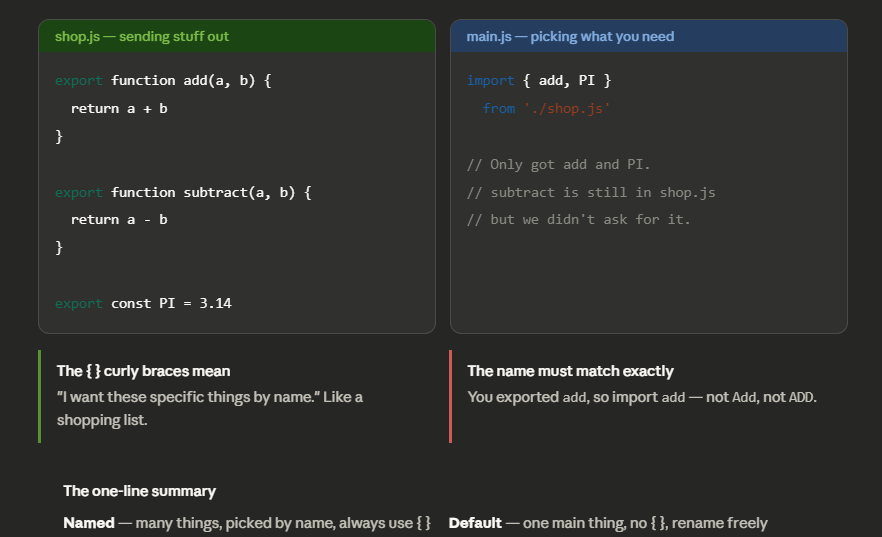
The two analogies to remember:
Named export = a shop with labelled jars. You walk in and say "give me the add and the PI." You use { } because you're listing specific names. The shop can have as many jars as it wants.
Default export = a chef's special. There's only one per file. You just say "give me the special" — no name needed, no { } needed. And you can nickname it whatever you want at your end.


