Synchronous vs Asynchronous JavaScript

Synchronous code executes line by line, in order. Each operation must finish before the next one starts. If one task takes 3 seconds (a heavy loop, a file read), everything — including the UI — freezes for those 3 seconds. That's "blocking."
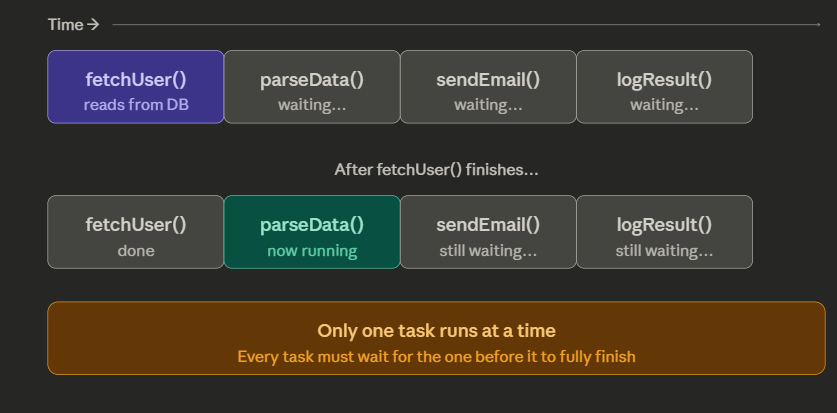
The top row shows the starting state — fetchUser() is running while every other task sits idle and waiting. The middle row shows what happens next — the moment fetchUser() finishes, JS moves to parseData(), while sendEmail() and logResult() are still frozen.
The key insight at the bottom says it all: one task, one turn. No task can begin until the previous one completely finishes. This is why a slow network call or a heavy loop can freeze your entire page — the browser can't even respond to a button click while that task is hogging the thread.
Asynchronous
Asynchronous code lets you say: "start this task, and let me know when it's done — I'll keep doing other things in the meantime." The operation is handed off (to the browser, Node.js, the OS) while your main thread stays responsive.
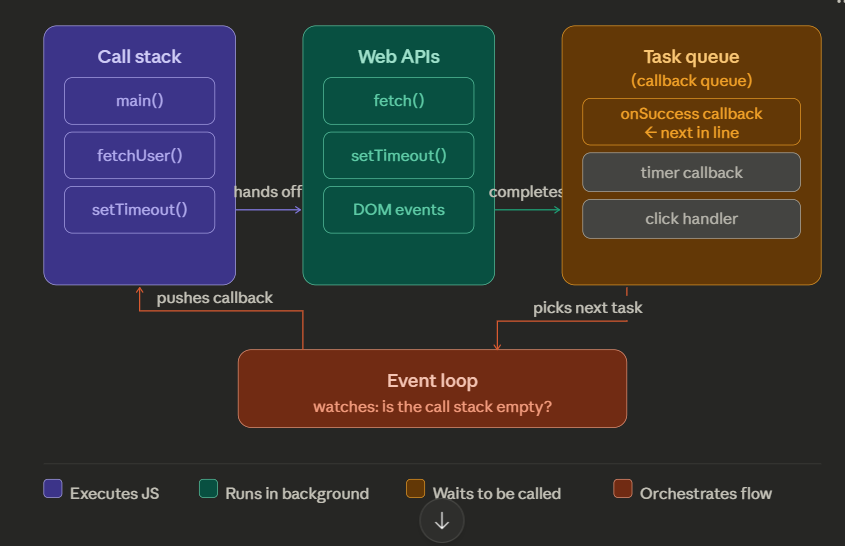
Here's how the four pieces work together:
Call stack — where JavaScript actually runs code, one frame at a time. When you call setTimeout() or fetch(), it gets pushed here first, then immediately handed off.
Web APIs — the browser (or Node.js) runs these in the background, completely outside the JS thread. This is why your page doesn't freeze during a network request — the browser is doing that work, not JS.
Task queue — when a background operation finishes, its callback doesn't jump straight into the call stack. It queues up here and waits patiently in line.
Event loop — the traffic controller. It constantly checks one thing: "Is the call stack empty?" The moment it is, it picks the next callback from the task queue and pushes it onto the stack. That's it — that's the whole trick.
The key insight: JS itself never truly "runs in parallel." It just delegates slow work to the browser, and the event loop feeds results back in when the thread is free.
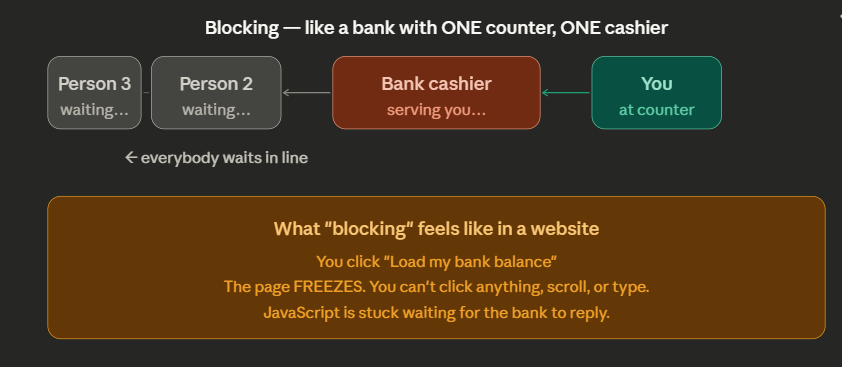
That's the problem. Now look at how async fixes it — same bank, but now they give you a token number and say "go sit down, we'll call you":
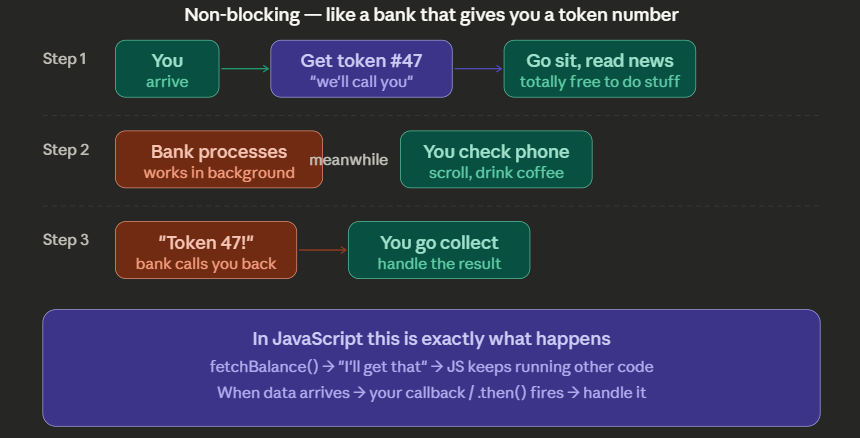
That's the whole idea in plain words:
Why does JavaScript need async at all? Because some things are slow — loading your bank balance, fetching weather data, reading a file. These can take 2–3 seconds. If JS just sat and waited, your entire webpage would freeze. You couldn't click anything, type anything, or even scroll.
Blocking = the old bad way. JS stares at the wall waiting for the bank to reply. Everything stops. The page is dead.
Non-blocking = the smart way. JS says "go fetch my balance" to the browser, then immediately moves on to other things — running animations, listening for button clicks, whatever. When the bank data arrives, JS gets a tap on the shoulder ("hey, your data is here!") and handles it then.
The token number from the bank is exactly like a Promise in JavaScript — it's not the result yet, it's a guarantee that you will get the result, and you're free to do other things until then.
// Timer — simplest async example
// "Do something after 2 seconds"

console.log("1. Start");

setTimeout(function() {
  console.log("3. Timer fired! (after 2 seconds)");
}, 2000);

console.log("2. This runs IMMEDIATELY — JS didn't wait!");

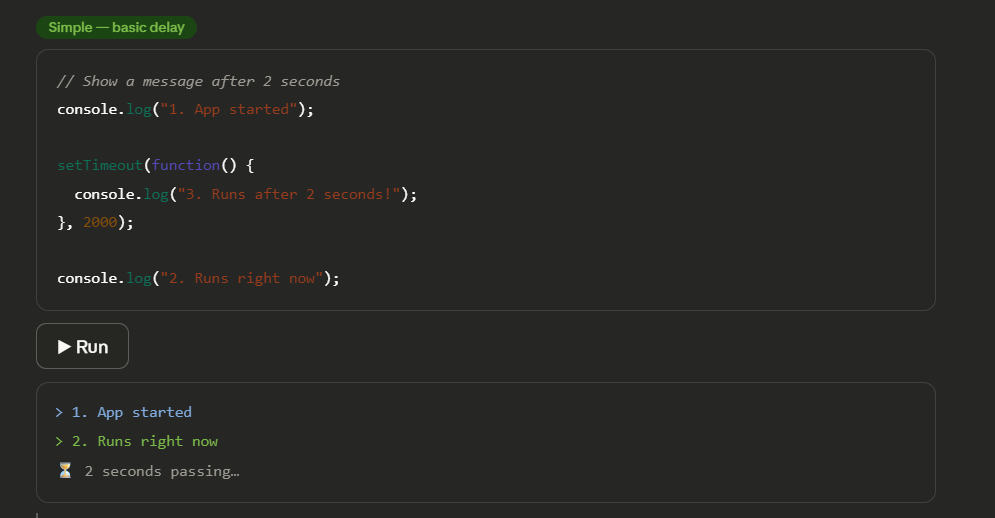
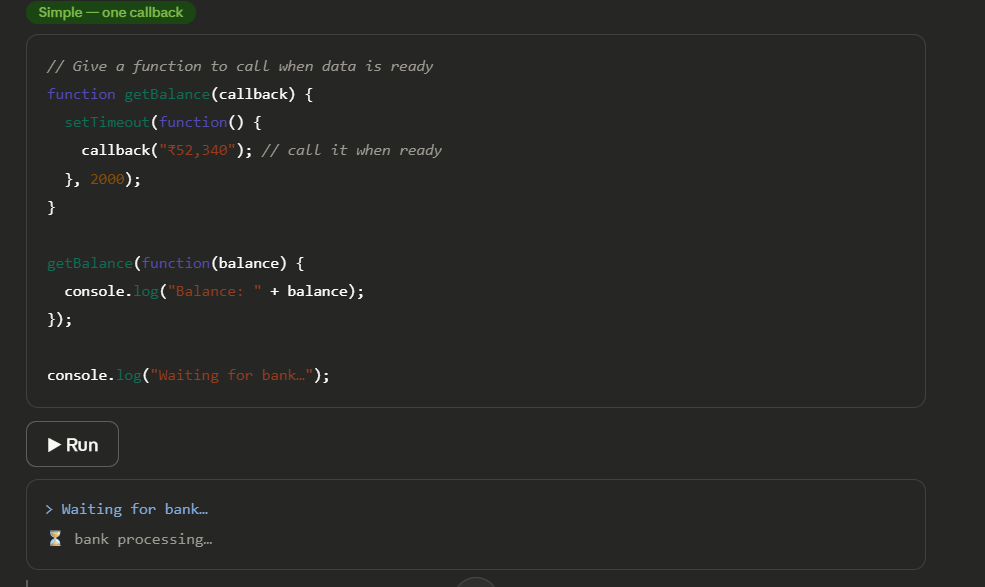
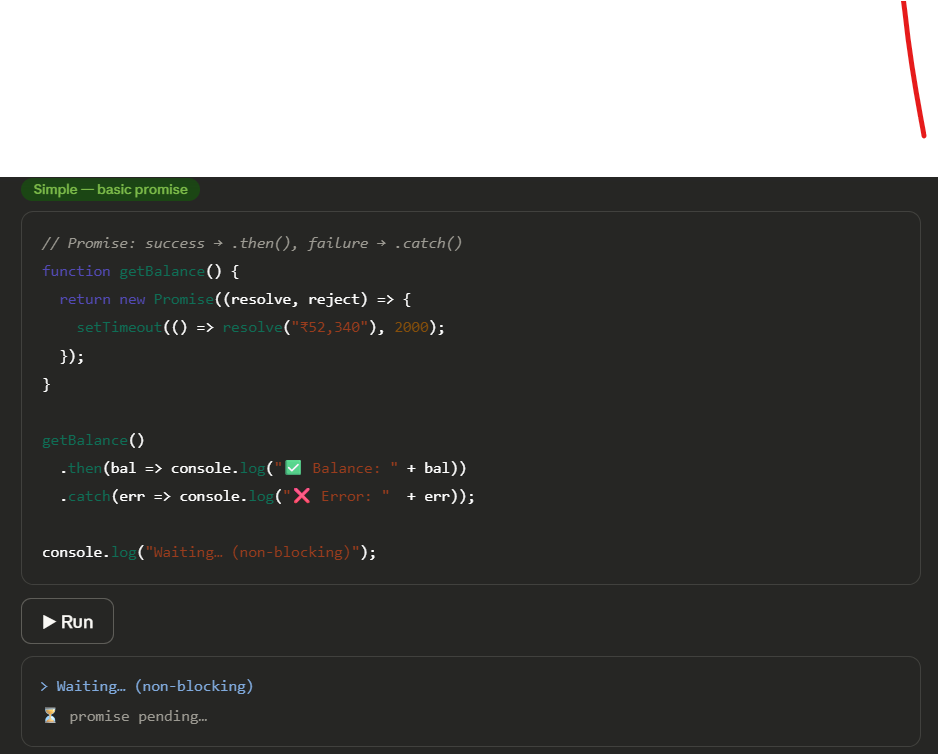
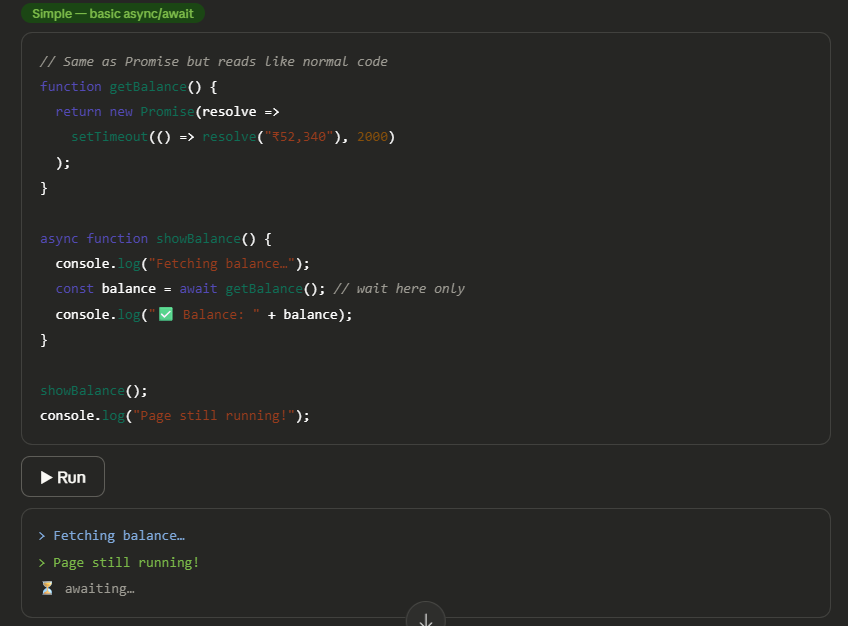
Hit Run on each tab to see the output appear live. Here's what each tab teaches you:
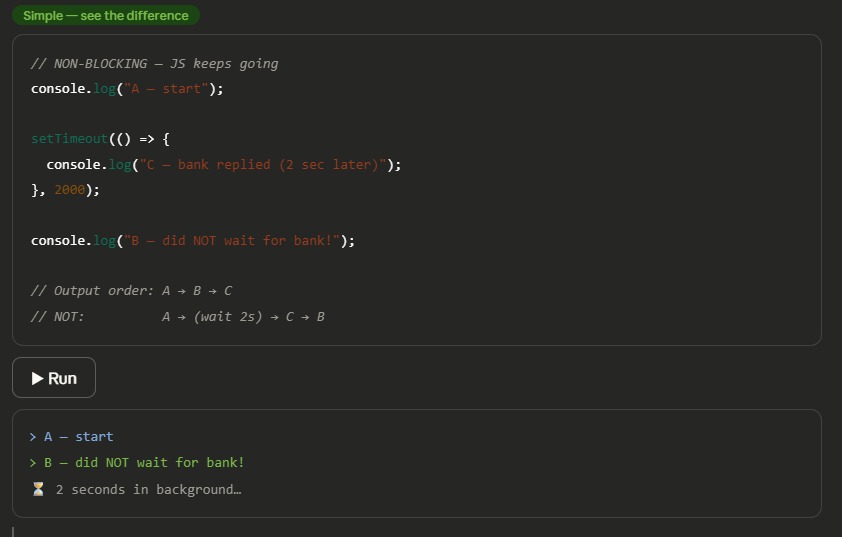
setTimeout timer — the simplest async thing in JS. You tell it "do this after 2 seconds" and JS immediately moves on. Line 2 prints before line 3 even though it's written after the timer. That's the non-blocking magic.
Callback — the original async pattern. You pass a function to getBankBalance() and say "call this function when you have my data." The bank calls you back when ready — just like a token number system.
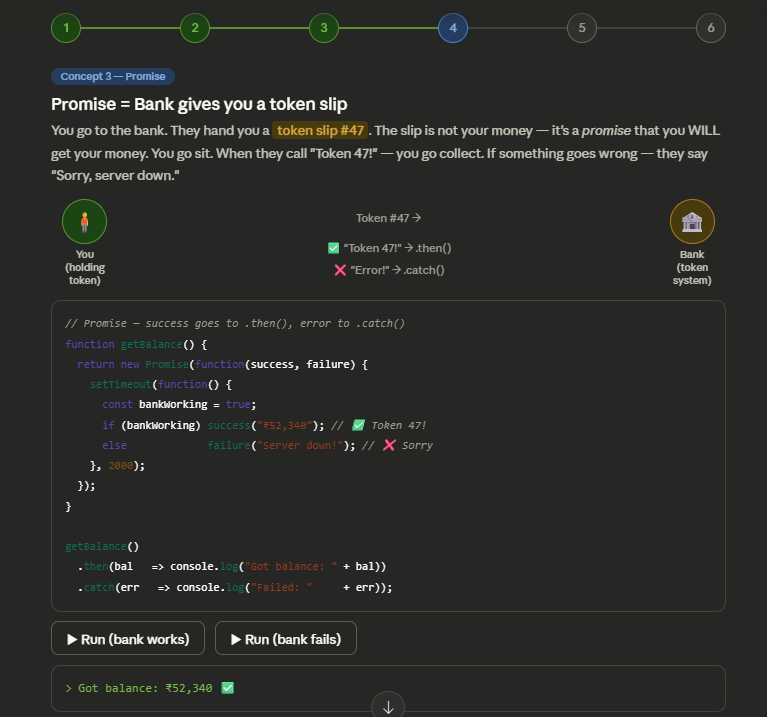
Promise — a cleaner upgrade. Instead of passing callbacks in, the function returns a Promise object. You chain .then() for success and .catch() for errors. Much easier to read.
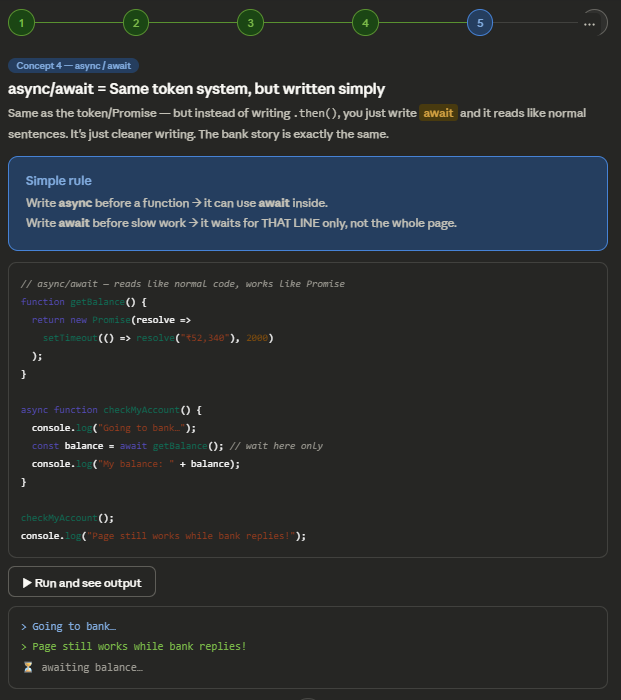
async/await — the modern way. It's the same Promise underneath, but written so it reads like normal top-to-bottom code. The await keyword pauses only inside that one function — the rest of the app keeps running normally.
Blocking vs non-blocking — the clearest demonstration. Notice the output order is always A → B → B2 → C. JavaScript never stopped to wait. C came last even though it was written second in the code.
The progression is: callbacks → promises → async/await. Each one solves the messiness of the previous. Today, async/await is what most developers use.
UI freezeWrong orderNo error handlingCascade block
Problem 1 — UI freezes completely
// BLOCKING — heavy loop locks the entire page
function blockingWork() {
  const start = Date.now();
  // This loop runs for ~3 seconds — freezes everything
  while (Date.now() - start < 3000) {}
  console.log("Done — but page was frozen!");
}

blockingWork();
// Buttons, clicks, scroll — ALL frozen during those 3s
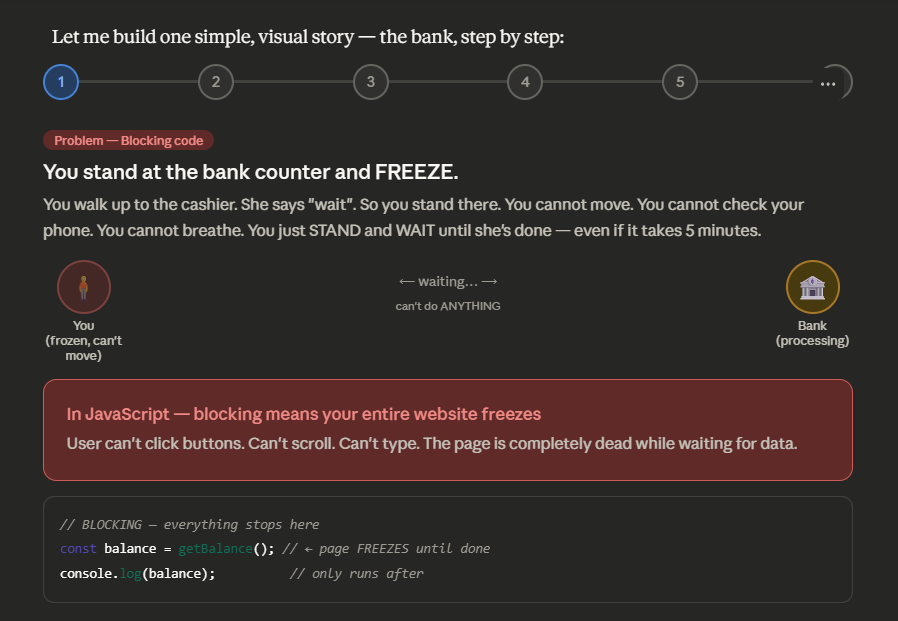
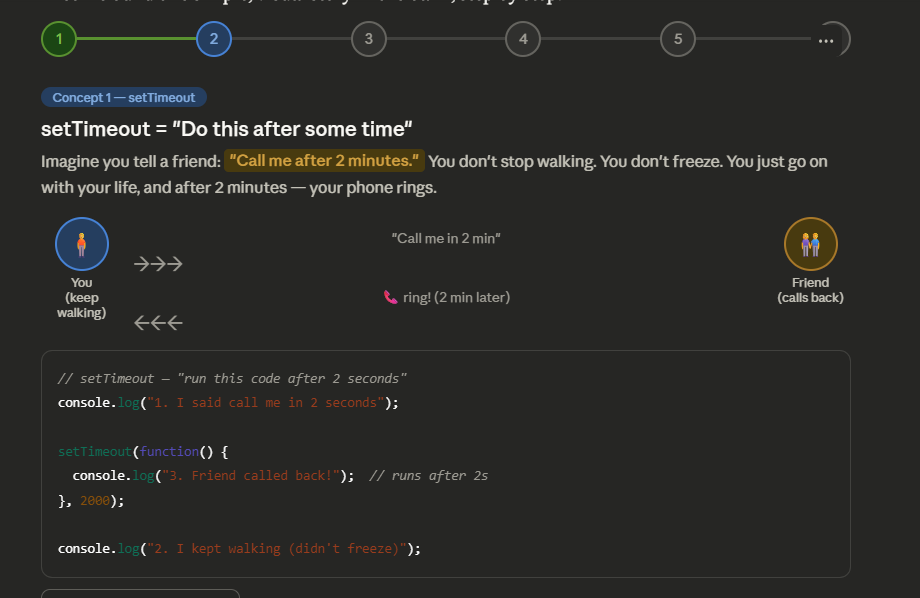
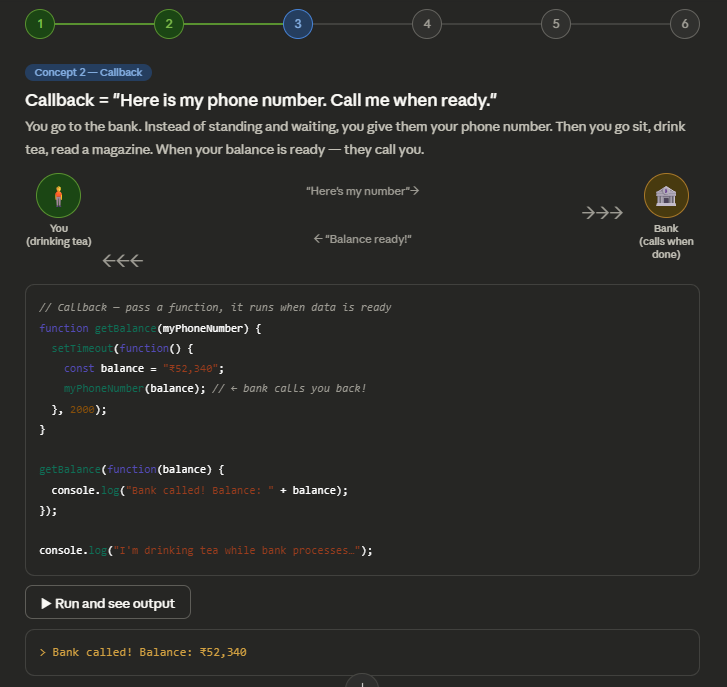
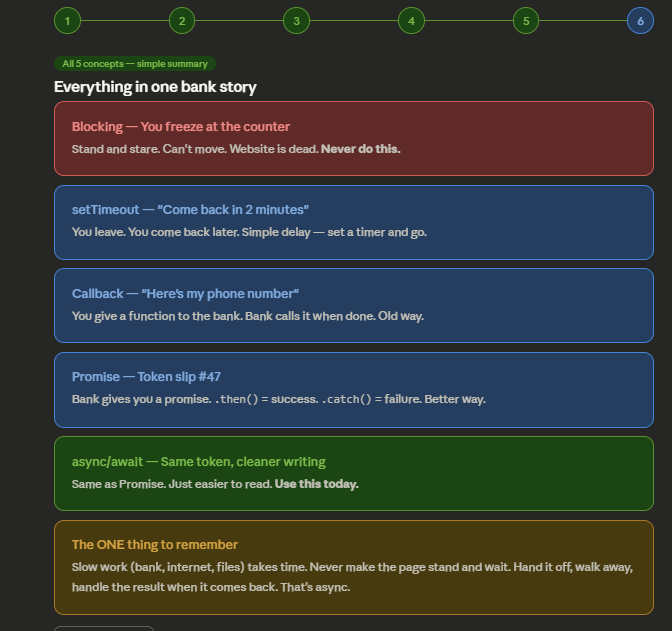
Click through all 6 steps in order — each one builds on the previous. Here's the whole story in one line each:
Step 1 — Blocking: You freeze at the bank counter. Can't move. Website dies. Bad.
Step 2 — setTimeout: Bank says "come back in 2 minutes." You walk away and return later. That's a timer.
Step 3 — Callback: You give the bank your phone number. They call you when ready. You gave them a function to call back.
Step 4 — Promise: Bank hands you a token slip. It's not money yet — it's a promise of money. .then() = got it. .catch() = something broke. Try both Run buttons!
Step 5 — async/await: Exact same token system — just written in simpler sentences. await means "wait here only, not the whole page."
Step 6 — Summary: All five concepts side by side as one bank story.
The key idea is always the same: slow work happens in the background, you keep moving, and you handle the result when it arrives.